

Weak and reused passwords are behind a staggering number of business breaches — and asking employees to invent and remember dozens of strong, unique passwords is simply unrealistic. That’s where password managers come in. A good password manager creates, stores, and fills in strong passwords automatically, removing the single biggest source of everyday account risk. In this guide we’ll explain how password managers work, what to look for, and the features that matter most when choosing one for your small business.
Why Your Business Needs a Password Manager
The average person juggles dozens of online accounts, and the average business far more. Faced with that many logins, people take shortcuts: they reuse the same password everywhere, choose easy-to-remember (and easy-to-guess) combinations, or write them on sticky notes. Each of these habits is a serious security risk.
When passwords are reused, a breach at one service hands attackers access to others. When they’re weak, automated tools crack them in moments. And when they’re scattered across notes and spreadsheets, they’re both insecure and impossible to manage as staff come and go. A password manager solves all of this by generating long, unique passwords for every account and storing them securely behind one master password. Employees only need to remember that one, and the software handles the rest.
How Password Managers Work
A password manager is an encrypted vault for your credentials. When you create or log in to an account, the manager offers to generate a strong password and save it. The next time you visit that site, it fills the login in automatically. All of this data is protected by strong encryption, and reputable managers use a “zero-knowledge” design, meaning even the provider cannot read your stored passwords.
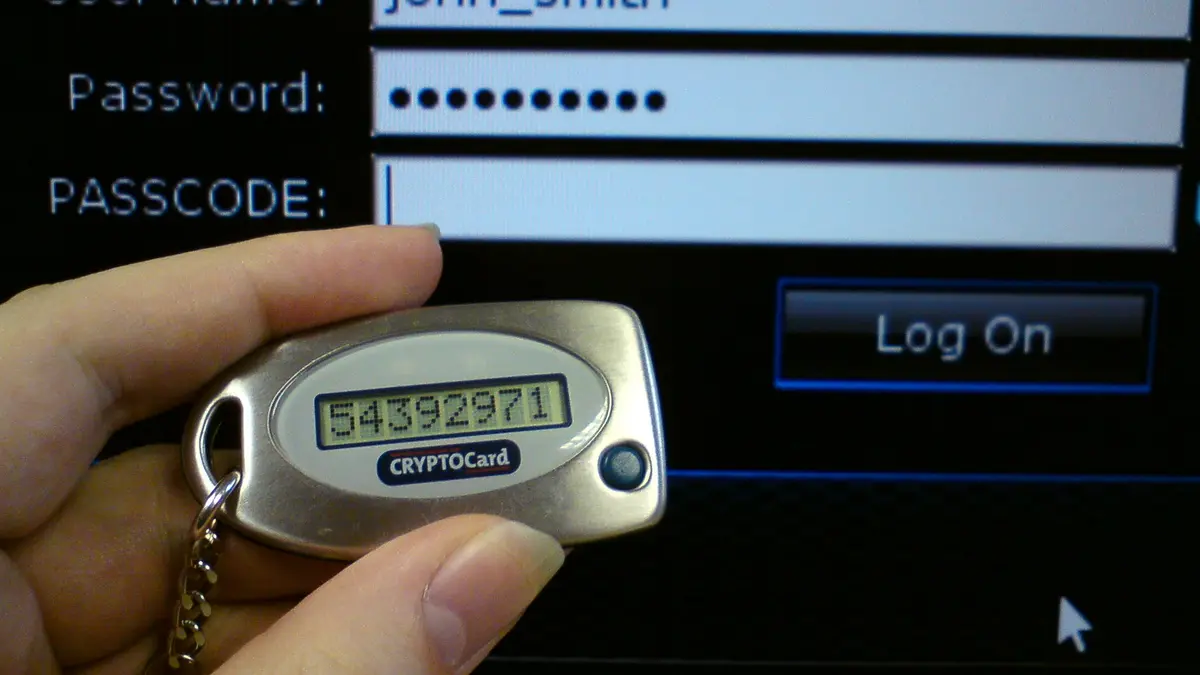
The vault is unlocked by your master password — the one credential you must remember and protect carefully. Because everything depends on it, your master password should be long, unique, and never reused, and the vault itself should be protected with multi-factor authentication for an extra layer of safety.
Key Benefits for Small Businesses
Beyond stronger passwords, business-focused password managers offer real operational advantages.
- Unique passwords everywhere — eliminating the reuse that turns one breach into many.
- Secure sharing — letting team members share access to accounts without revealing the actual password or emailing it around.
- Centralized control — allowing owners or admins to manage access, add and remove users, and revoke credentials instantly when an employee leaves.
- Time savings — auto-filling logins and reducing password-reset requests.
- Breach monitoring — alerting you if a stored password appears in a known data leak.
- Auditing — showing which passwords are weak, reused, or old so you can fix them.
Features to Look For
Not all password managers are equal, and business needs differ from personal ones. When evaluating options, weigh the following features.
Strong Encryption and Zero-Knowledge Design
This is non-negotiable. Look for industry-standard encryption and a zero-knowledge architecture, so your data stays private even from the provider. This is the foundation of trust in any password manager.
Multi-Factor Authentication
Your vault is a high-value target, so the ability to protect it with MFA is essential. This ensures that even if your master password is somehow exposed, the vault stays locked.
Secure Password Sharing
Teams inevitably need to share access to some accounts. A good business password manager lets you share credentials securely within the tool — with the ability to grant, limit, and revoke access — rather than sending passwords over email or chat.
Team and Admin Management
For a business, centralized administration matters. Look for the ability to create user groups, set permissions, onboard and offboard staff easily, and enforce security policies across the team from a single dashboard.
Cross-Platform Support
Your team likely uses a mix of computers, phones, and browsers. Choose a manager that works across all major operating systems and browsers, with reliable syncing so passwords are available wherever people work.
Breach and Password Health Monitoring
The best tools actively monitor for compromised credentials and flag weak or reused passwords, turning your password manager into an ongoing security assistant rather than just a vault.
Ease of Use
A tool that’s difficult to use won’t be used. Smooth auto-fill, clear apps, and simple setup drive adoption — and a password manager only protects you if your team actually uses it consistently.
Business vs. Personal Password Managers
While personal password managers protect an individual’s accounts, business plans add the features companies need: centralized user management, shared vaults for teams, admin controls, activity logs, and the ability to instantly revoke access when someone leaves. For anything beyond a solo operation, a business or team plan is worth the modest additional cost, because it turns password management from an individual habit into an enforceable company standard.
Rolling Out a Password Manager to Your Team
Introducing a password manager is straightforward with a little planning. Start by choosing a reputable tool that fits your size and budget. Set up the admin account and configure your security policies, including requiring MFA on every vault. Then onboard employees in small groups, providing simple instructions and a short walkthrough. Encourage staff to import or update their existing passwords, replacing weak and reused ones with strong generated passwords over time. Finally, make it clear that the password manager is now the standard way to store and share credentials — no more sticky notes or shared spreadsheets.
Expect a short adjustment period. Once employees experience the convenience of auto-fill and never having to remember passwords again, most quickly prefer it to the old way.
Master Password Best Practices
Because your entire vault depends on it, the master password deserves special care. Make it long — a memorable passphrase of several random words is both strong and easy to recall. Never reuse it anywhere else. Never share it. And always protect the vault with MFA so the master password alone isn’t enough to open it. If you’re worried about forgetting it, most managers offer secure account-recovery options; set these up in advance rather than after you’re locked out.
Common Concerns Addressed
Some business owners hesitate over the idea of storing all their passwords “in one place.” It’s a fair question, but the alternative — weak, reused passwords scattered across notes and browsers — is far riskier. Reputable password managers use strong encryption and zero-knowledge designs specifically so that even a breach of the provider wouldn’t expose your passwords. In practice, a well-secured password manager protected by MFA is vastly safer than the habits it replaces.
The Future: Passkeys and Passwordless Login
Password managers are also leading the shift toward a passwordless future. A growing number of services now support passkeys — a modern login method that replaces passwords with cryptographic keys tied to your device and unlocked by a fingerprint, face scan, or PIN. Passkeys are highly resistant to phishing because there’s no password to steal or type into a fake site.
Most leading password managers can now store and sync passkeys alongside traditional passwords, letting your business adopt this stronger method gradually as more services support it. You don’t need to switch everything at once; a good password manager bridges the old and new worlds, storing your existing passwords while making it easy to embrace passkeys wherever they’re available. Choosing a manager that supports passkeys future-proofs your investment.
Cost Considerations for Small Businesses
Password managers are among the most affordable security tools available, typically priced per user per month. Personal plans are inexpensive, and business plans — while slightly higher — remain modest given the protection and management features they add. When weighing the cost, consider what a single breach caused by a stolen or reused password could mean: lost data, downtime, and reputational harm that dwarf the price of a subscription. For nearly every business, a password manager delivers an outsized return on a small investment.
Many providers offer free trials, so you can test how well a tool fits your team before committing. Take advantage of these to check ease of use and admin features, since adoption depends heavily on how comfortable your team feels with the tool.
Integrating Password Managers Into Your Security Culture
A password manager works best as part of a broader security mindset rather than an isolated tool. Pair it with mandatory MFA, regular staff awareness training, and clear offboarding procedures so that access is revoked the moment an employee leaves. Encourage employees to use the manager for personal accounts too, since better habits at home reinforce better habits at work. Over time, the password manager becomes second nature — the default way your team handles every login — and that consistency is what delivers lasting protection.
Frequently Asked Questions
Are password managers safe?
Reputable ones are very safe. They use strong encryption and zero-knowledge architecture, meaning your data is protected even from the provider. Protecting your vault with a strong master password and MFA makes it safer still — and far safer than reusing weak passwords.
What if I forget my master password?
Because of zero-knowledge design, providers often can’t simply reset it for you. That’s why you should set up the available recovery options in advance and choose a memorable passphrase. Some business plans also allow administrators to assist with recovery.
Can my whole team use one account?
You shouldn’t share a single account. Instead, use a business or team plan where each person has their own login, and share specific credentials securely through the tool. This gives you control and a clear record of who has access to what.
Is the browser’s built-in password saver enough?
Browser savers are convenient but generally offer weaker protection, limited sharing, and no team management. A dedicated password manager provides stronger security and the business features you need to manage credentials across a team.
How do I move my existing passwords into a manager?
Most password managers can import passwords saved in your browser or another tool, and they’ll prompt to save credentials as you log in to sites. A practical approach is to import what you have, then let the manager flag weak or reused passwords so you can replace them with strong generated ones over the following weeks. There’s no need to change everything at once.
Final Thoughts
A password manager is one of the highest-impact, lowest-effort security investments a small business can make. It eliminates weak and reused passwords — a root cause of countless breaches — while making your team’s daily logins faster and easier. Choose a reputable tool with strong encryption, MFA support, secure sharing, and central management, roll it out with a little guidance, and protect every vault with multi-factor authentication. Combined with MFA on your important accounts, a password manager closes two of the biggest gaps in everyday business security, giving you protection that works quietly in the background every single day.